Taco Bell Employee App Guide: Login, Schedule, Payroll, Troubleshooting & My Taco Bell Access
The Taco Bell Employee App is the central digital access point used by restaurant employees to manage their work life. It is commonly referred to as “My Taco Bell”, but the reality is more complex than a single branded application.
Instead of being one unified app across all locations, Taco Bell operates a multi-system workforce environment. Employees may interact with different platforms depending on whether they work at a corporate-owned restaurant or a franchise location. This is the main reason many users experience confusion when trying to log in, view schedules, or access payroll.
At its core, the employee app ecosystem is designed to connect workers with essential job functions such as scheduling, payroll access, training modules, and internal communication. However, the actual system behind the app may vary significantly, which directly impacts user experience.
Understanding this structure is essential before attempting login or troubleshooting any issues.
What the Taco Bell Employee App Actually Is
The Taco Bell Employee App is not a single unified product. Instead, it is a gateway layer that connects employees to different backend systems.
In most cases, employees interact with:
- A mobile interface (My Taco Bell or franchise app)
- A scheduling system (often UKG or similar workforce tools)
- A payroll system (commonly Workday or franchise-specific HRIS tools)
This separation means the app acts more like a portal aggregator rather than a standalone system.
Employees use it to:
- View work schedules
- Receive shift updates
- Access pay stubs and payroll data
- Complete onboarding tasks
- Read internal announcements
- Track training progress
The confusion usually arises because employees expect one app to handle everything, but Taco Bell’s operational model distributes responsibilities across multiple systems.
Why Taco Bell Uses Multiple Employee Systems
Taco Bell operates under a franchise-driven business model, meaning most restaurants are not directly controlled by corporate headquarters. Instead, individual franchise owners manage staffing, payroll, and internal systems.
This structure creates variation in employee tools.
Corporate-owned restaurants tend to use standardized systems, while franchise locations often choose different vendors based on cost, preference, or operational needs.
As a result:
- One store may use UKG for scheduling
- Another may use HotSchedules
- Payroll might run through Workday or Paycom
- Communication tools may differ entirely
This fragmentation is the main reason employees frequently search for answers like “Which Taco Bell app do I use?”
The correct answer always depends on the location and onboarding instructions provided by management.
My Taco Bell vs UKG vs Workday Explained
To fully understand the ecosystem, it is important to separate the three most common systems employees encounter.
My Taco Bell (Employee Portal Layer)
This is the branded entry point used by many Taco Bell employees. It typically serves as a dashboard for accessing internal tools. However, it does not always store payroll or scheduling data directly.
It may include:
- Shift notifications
- Internal messages
- Basic employee dashboard access
UKG (Scheduling & Time System)
UKG is one of the most widely used workforce management systems in the restaurant industry. It handles:
- Shift scheduling
- Time clock tracking
- Attendance records
When employees ask why their schedule is missing, it is often because UKG is the system holding the data, not the My Taco Bell app itself.
Workday (HR & Payroll System)
Workday is commonly used for HR operations such as:
- Payroll processing
- Tax documents
- Employee records
- Benefits enrollment
This separation explains why employees sometimes see payroll in one system and schedules in another.
Key Features of the Employee App Ecosystem
Despite system fragmentation, the Taco Bell employee ecosystem provides several core functions that support daily operations.
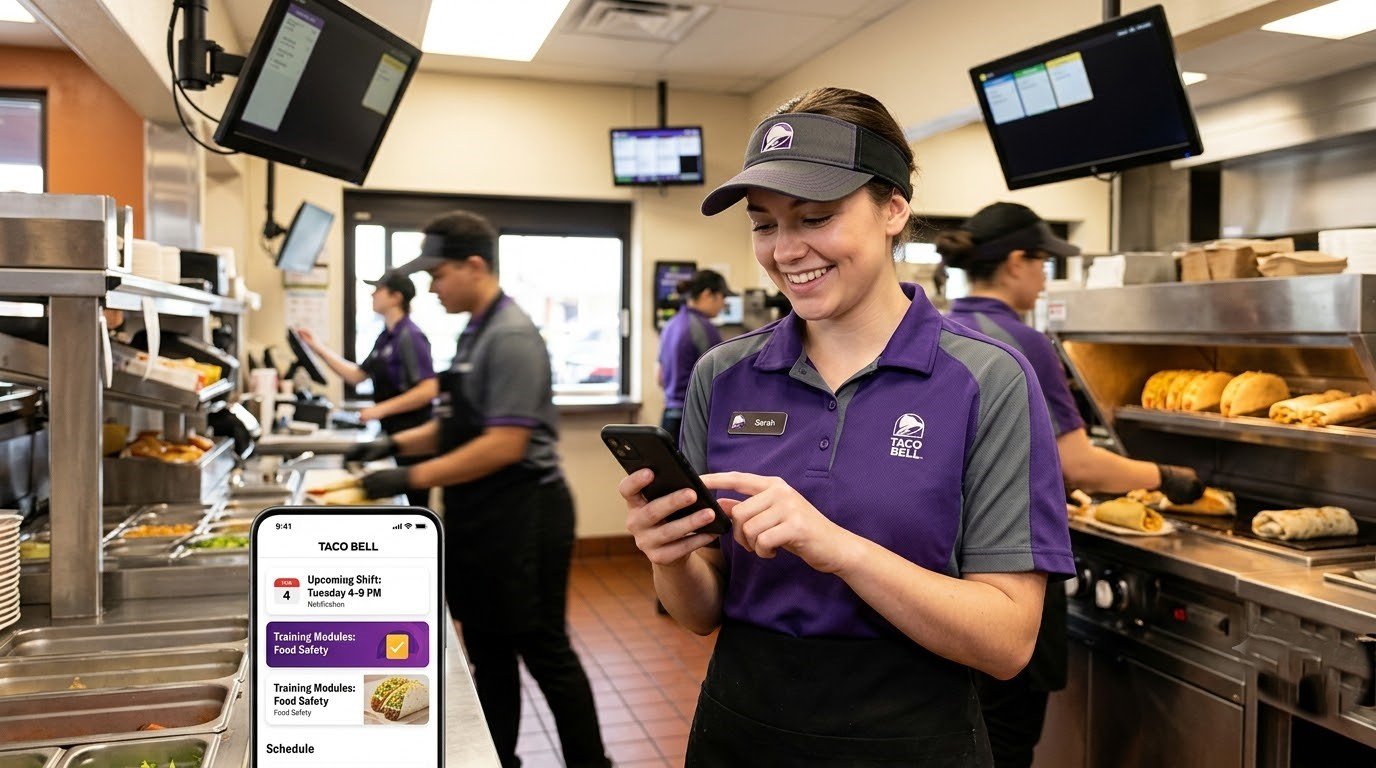
One of the most important is schedule management, which allows employees to check shifts, receive updates, and plan availability. In most cases, schedules are published in advance, but timing can vary depending on franchise policy.
Payroll access is another major feature. Employees can view pay stubs, direct deposit details, and earnings history. However, payroll access is not always integrated into the same platform used for scheduling, which can create confusion during login attempts.
Communication tools also play a major role. Managers use internal messaging systems to distribute announcements, shift updates, and operational instructions. This reduces reliance on paper schedules or in-store bulletin boards.
Training modules are also commonly included. These digital courses help employees complete onboarding requirements, learn food safety standards, and progress through role-based certifications.
How Login Works in the Taco Bell Employee System
Logging into the Taco Bell employee ecosystem typically involves a multi-step authentication process. Employees enter credentials such as an employee ID or username, followed by a password. In many cases, additional verification is required through token-based authentication or multi-factor authentication.
This system is designed to protect sensitive employee data, including payroll and personal records.
Login failures usually occur due to one of the following reasons:
- The employee is using the wrong system (UKG vs My Taco Bell mismatch)
- The account has not been activated by HR
- The authentication token has expired
- The employee is assigned to a different franchise system
- Temporary system synchronization delays
Because of the multi-system structure, login issues are often not caused by user error but by backend configuration mismatches.
Why Your Schedule May Not Be Showing
One of the most common concerns among Taco Bell employees is missing schedules. This issue is usually not related to app malfunction but rather system workflow timing.
Schedules may not appear because:
- The manager has not published the schedule yet
- The schedule is stored in UKG, not the portal being used
- The employee account is not fully synced
- There is a delay in franchise system updates
In many restaurant environments, schedules are updated weekly or bi-weekly, and publication timing can vary by location.
Employees often assume an error exists when in reality the schedule simply has not been released or synchronized across systems.
Payroll and Pay Stub Access Explained
Payroll is one of the most sensitive components of the Taco Bell employee ecosystem. Depending on the franchise, payroll may be handled through Workday, Paycom, or another HRIS platform.
Employees can typically access:
- Pay stubs
- Tax documents
- Direct deposit information
- Earnings summaries
However, payroll data is not always located in the same system as scheduling. This separation often leads to confusion when employees attempt to locate pay information in the wrong portal.
Most Taco Bell locations operate on a biweekly pay cycle, but exact timing may vary depending on franchise policy.
Common Taco Bell Employee App Problems
Employees frequently report several recurring issues when using the system.
One of the most common is login failure. This often occurs when employees attempt to access the wrong system or when their account has not yet been fully activated.
Another frequent issue is missing schedules, which is usually caused by delays in publishing or system synchronization problems.
App instability is also occasionally reported, including crashes, blank screens, or slow loading times. These issues are typically related to mobile compatibility or backend updates.
Payroll access issues may also occur when employees try to view pay information in a system that is not connected to their specific franchise’s payroll provider.
Troubleshooting the Employee App (Simple Framework)
A structured approach helps resolve most issues quickly.
First, confirm you are using the correct system. Many problems occur simply because UKG, Workday, and My Taco Bell are mixed up.
Next, verify that your account has been fully activated. New employees often experience delays between onboarding and system access.
If issues persist, refreshing credentials or resetting your password may help resolve authentication errors.
Finally, system synchronization delays are common. Waiting 24–48 hours after onboarding or updates often resolves missing data issues.
Security and Data Protection in Employee Systems
The Taco Bell employee ecosystem handles sensitive personal and financial information, so security is built into every layer of the system.
These protections typically include encrypted login sessions, role-based access controls, and token-based authentication systems that prevent unauthorized access.
Employees also play an important role in maintaining security. Best practices include not sharing login credentials, avoiding public Wi-Fi for payroll access, and enabling multi-factor authentication when available.
Franchise vs Corporate System Differences
One of the most important factors influencing the employee experience is whether the restaurant is corporate-owned or franchise-operated.
Corporate locations generally use more standardized systems, meaning employees are more likely to encounter consistent platforms for scheduling and payroll.
Franchise locations, however, may choose different vendors for HR, payroll, and scheduling. This creates variability in the employee experience and is the main reason why no single “Taco Bell employee app” exists universally.
Understanding this distinction is essential for avoiding confusion during onboarding and login.
Final Understanding of the Taco Bell Employee App Ecosystem
The Taco Bell employee system is best understood as a multi-platform workforce network, not a single application.
It combines:
- My Taco Bell (employee portal layer)
- UKG (scheduling and attendance system)
- Workday (HR and payroll system)
- Franchise-specific tools (varies by location)
This structure allows flexibility across thousands of restaurant locations but also creates complexity for employees trying to access information.
Once understood, however, the system becomes easier to navigate and troubleshoot.
Final Thoughts
The Taco Bell Employee App ecosystem is not a single unified application but a connected set of workforce systems that vary by franchise and corporate structure. Understanding how scheduling, payroll, and HR tools are separated helps eliminate confusion during login, scheduling, and onboarding.
Most issues arise not from system failure, but from using the wrong platform or experiencing normal synchronization delays between systems. Once employees understand this structure, navigating the system becomes significantly easier and more predictable.
FAQs
What is the Taco Bell Employee App?
It is a workforce system used by Taco Bell employees to access schedules, payroll, training, and internal communication tools.
Why can’t I log into the Taco Bell employee app?
This usually happens due to incorrect system selection, inactive accounts, or onboarding delays.
Which app do Taco Bell employees use?
Employees may use My Taco Bell, UKG, Workday, or franchise-specific systems depending on location.
How do I check my Taco Bell schedule?
Schedules are typically accessed through UKG or the assigned workforce management system.
Why is my Taco Bell schedule missing?
It may not yet be published, or it may be stored in a different system than the one you are using.
Does Taco Bell use UKG or Workday?
Yes, but usage depends on whether the location is corporate or franchise-operated.
Is the Taco Bell employee app the same everywhere?
No, systems vary significantly by franchise and corporate structure.
Can payroll and schedule be in different apps?
Yes, many locations separate payroll (Workday/HRIS) and scheduling (UKG